PolaCrop: digitizing my Polaroid collection
… and self-hosting it to share some memories with friends :)
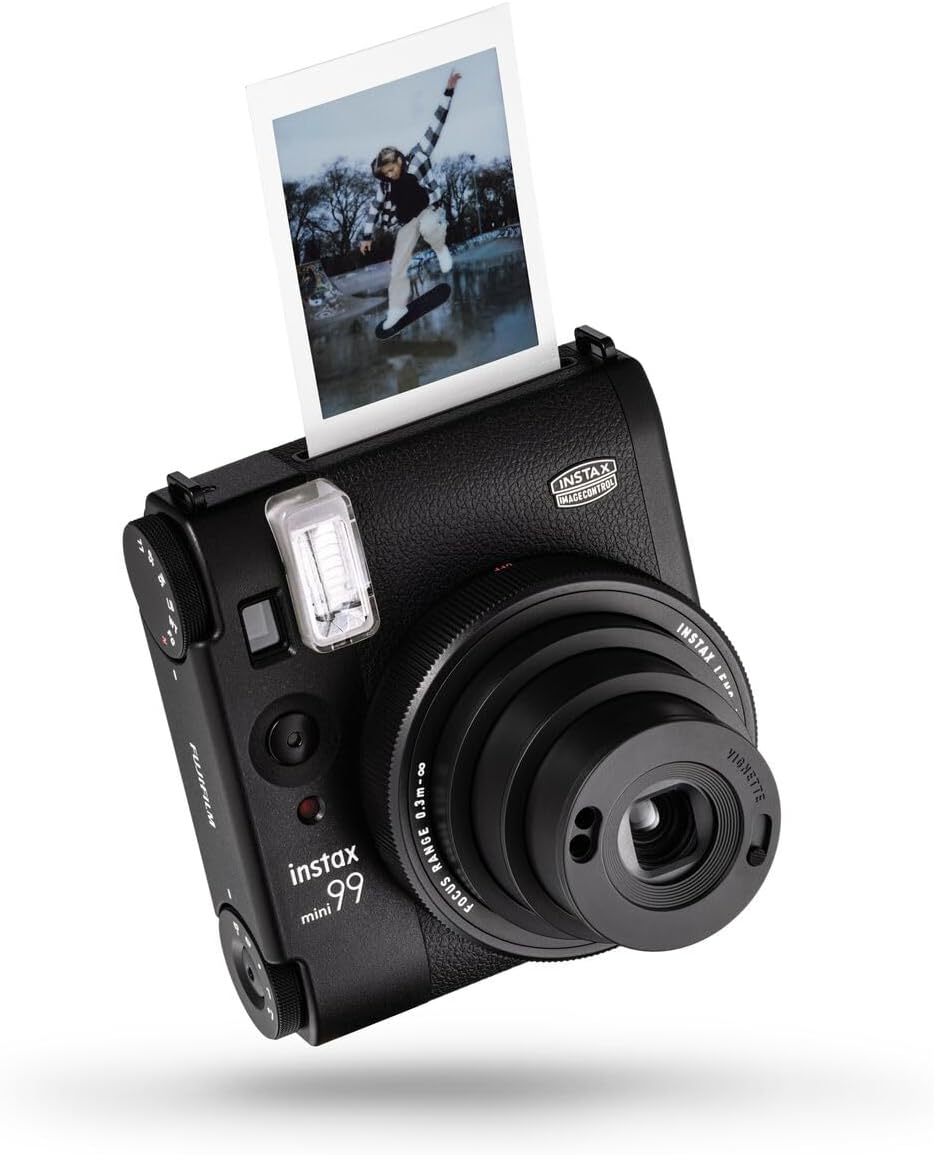 I have a Polaroid camera1 , and I bring it almost everywhere I go! I’ve been doing this since late 2022 and I don’t think I’ll stop anytime soon.
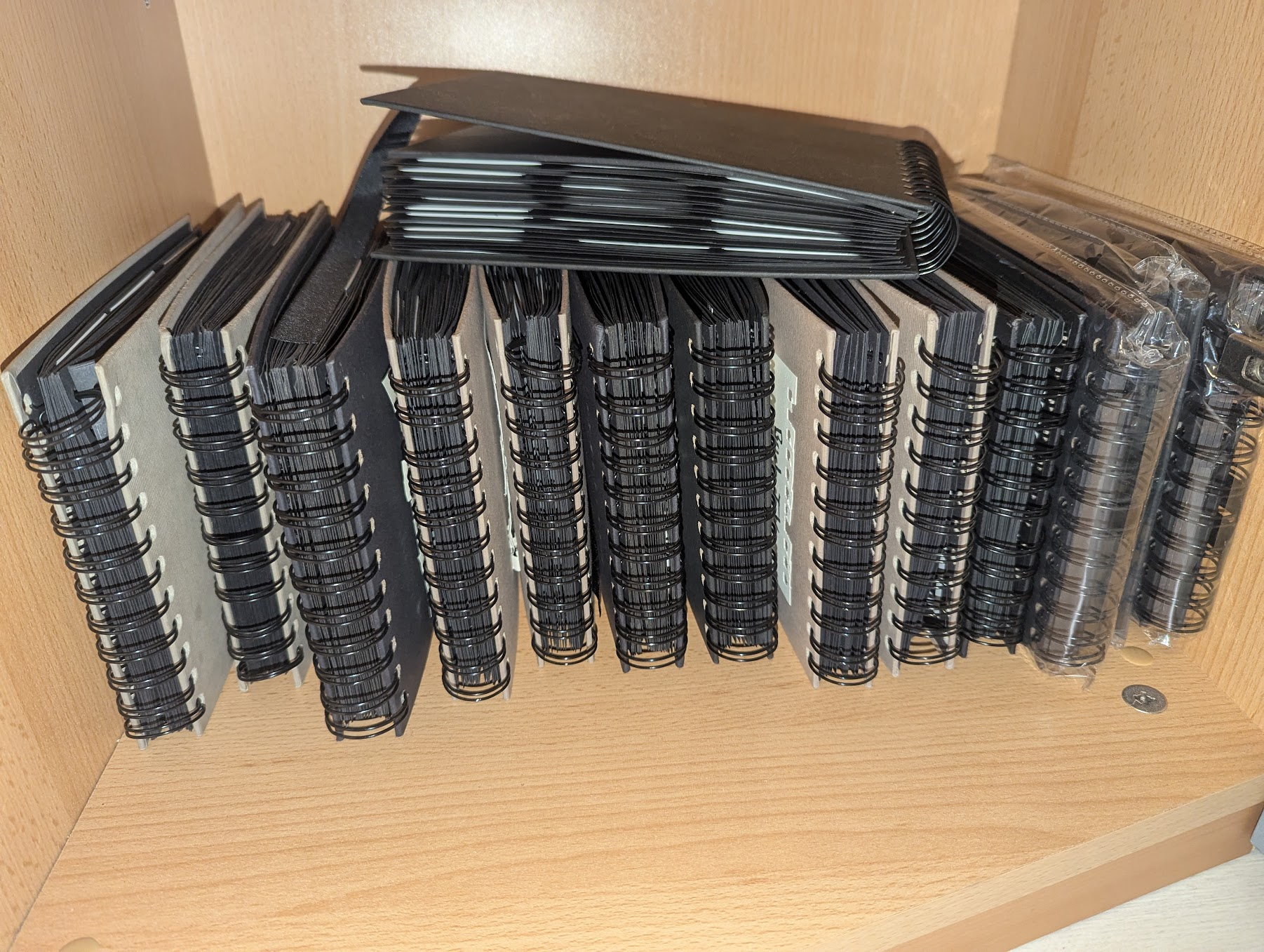
I stick all the polaroids into photo books, and I love the fuzzy feeling I get when browsing through these precious memories from time to time. <3
But I have been wanting an easy way of sharing them with some of the people in these pictures. (It turns out that if you’re the one bringing the camera, the people on the other side of the lens will mostly be everyone else).
Besides that, I wasn’t digitizing them yet, and while the polaroid photos of today’s age have a high(er) longevity before fading, If my flat were to succumb to entropy (or fire), these photo books are the possessions I would miss the most.
And last but not least, I really wanted to finally know how many Polaroid pictures I have stuck into my photo books in total. Spoiler: it’s 1606.
What were my needs
Thinking about my ideal solution, I figured these things to be the most important needs, in very particular order:
- Easy scanning procedure (since this is the tedious part)
- Self-hosted (for privacy) and no vendor lock-in
- Organizable into events/albums
- Photos&Events annotatable with some metadata (exact dates, locations, and comment text)
- Being able to add effects (mostly sharpening and adjusting the brightness&contrast)
In general, I wanted as little manual labour as possible to go from my photo books to shareable albums, since I have quite a lot of them:
Scanning the polaroids
- I scanned using my Canon LiDe 400 scanner (at just ~120€, it produces quality scans)
- I used GNOME simple-scan, the preinstalled scanner utility on Ubuntu. Besides some hiccups here and there, it did the job well.
- I scanned the Photobook pages in 600DPI, saving them as PDF files (one per “event”, e.g. a wedding)
The scanning is done separately and independently from the annotation software, for easier backups and less coupling.
Implementing a webapp to annotate my polaroids
We have problems to solve!
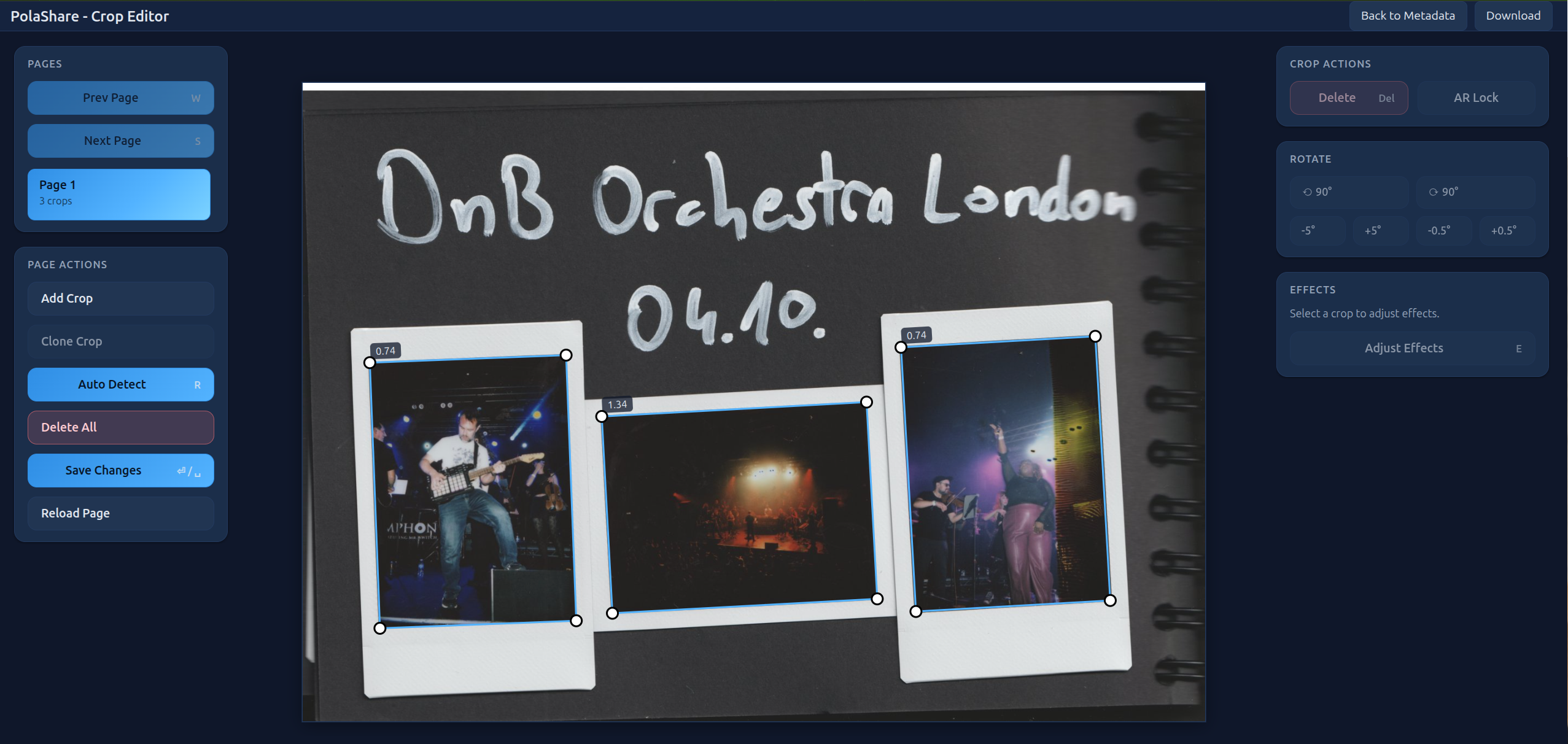
- I need a UI where I can easily mark the polaroids (as rects of the scanned PDF pages)
- The annotation data needs to be persisted, but I don’t want to have a full-blown deployment with a database.
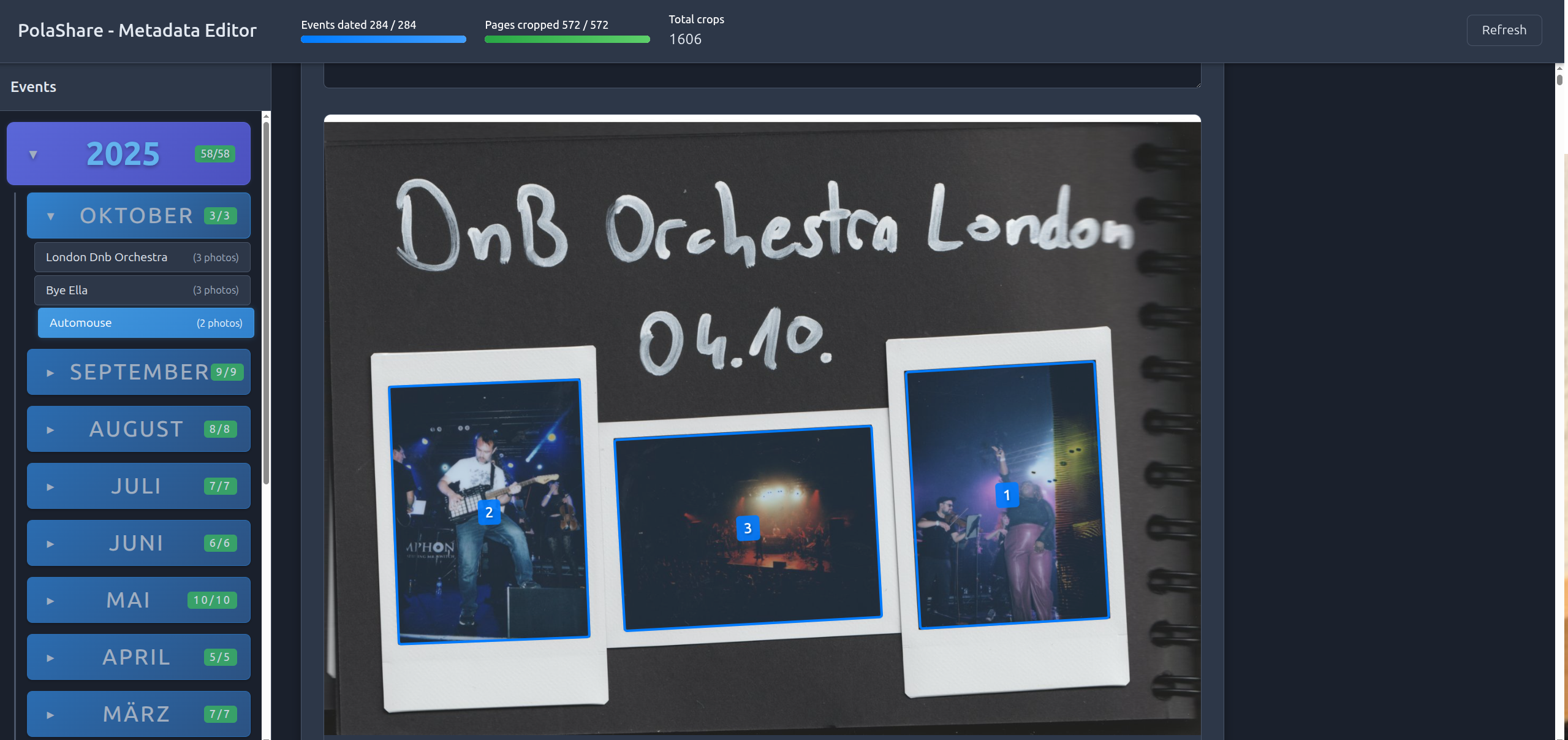
- I need an easy way to see my whole collection and edit the metadata of events (setting dates, etc)
- I need some progress tracking to help me make sure I haven’t missed any annotations.
Problems are here to solve, so I cracked my knuckles and (vibe-)coded a platform to annotate my polaroids:
- It has two views: Metadata View and Crop Editor, see the screenshots below.
- The backend stores annotation in JSON files. Easy to back up, easy to reuse anywhere later.
- Polaroid corners are stored as 4-tuples of floats, which signify the relative (to the width/height) positions of the corners on the scanned page. This makes it easier to render the corners correctly in the frontend, no matter the image size.
- When editing crops, I noticed the rotation buttons (±0.5°) to be quite handy at times to line up crop corners with the polaroid corners exactly.
- I learned that extracting pdf pages to images is surprisingly slow, so the backend extracts all pages on first run and caches them.
Screenshots:
Metadata Viewer:
Crop Editor:
After about two hours of iteration, it worked quite nicely, and I began to annotate my scanned pages.
But manually marking the polaroid crops by hand became tedious after a while.. So I decided to develop some form of algorithm to help me out.
Vibe-coding a polaroid detection algorithm
An example input to the algorithm:
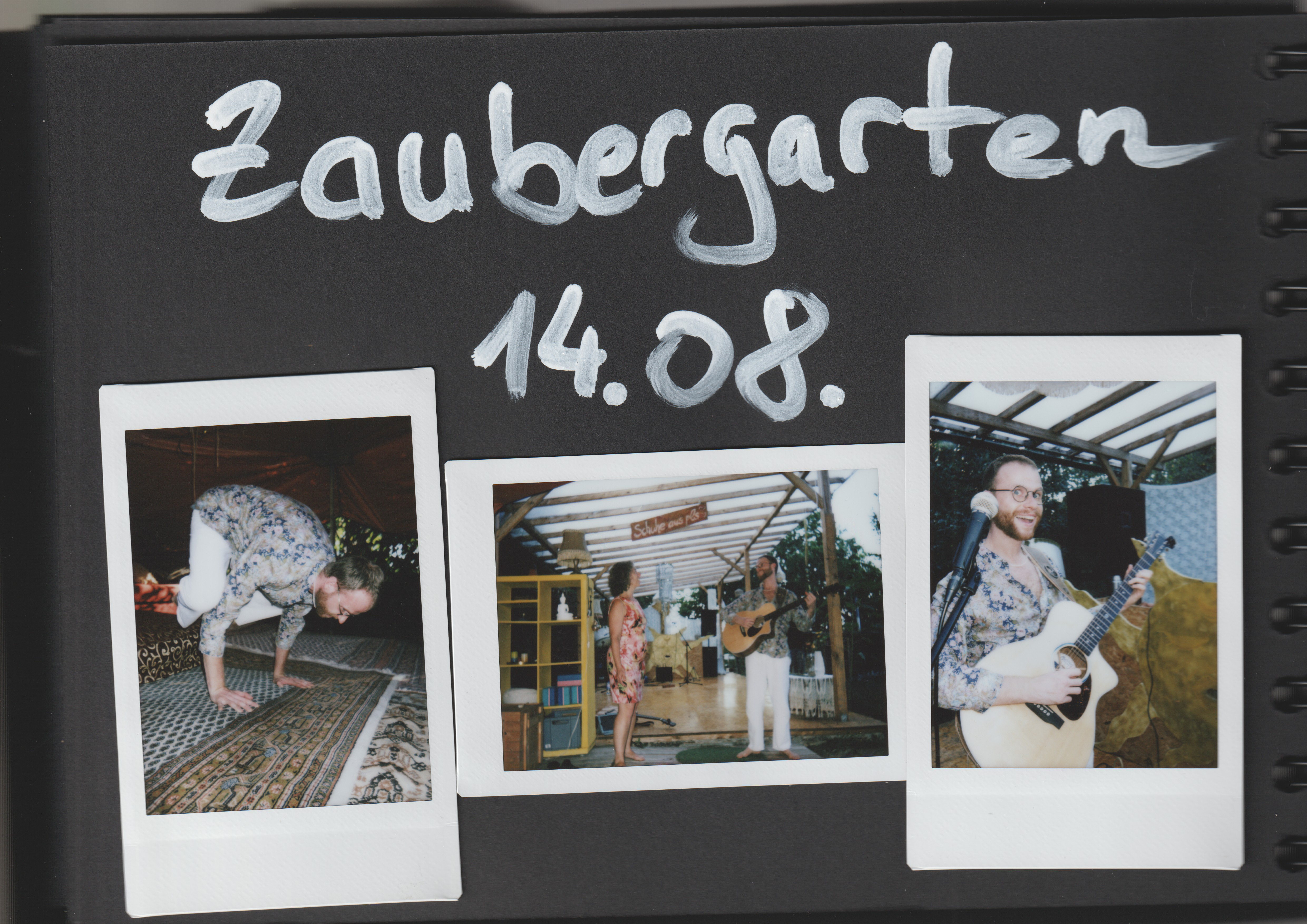 The polaroids can be horizontal or vertical, and can be slightly skewed due to sloppy scans.
Human-In-The-Loop
As the ancient scrolls of computer science decree, you shouldn’t use Machine Learning if you don’t need to. And I figured I wouldn’t need ML to detect polaroids in an image. But still, coming up with an algorithm is not trivial.
What I had, however, was some already annotated events (about 10 pages in total, ~25 polaroids). I settled on a Human-In-The-Loop process, using Codex (with the GPT-5-Codex model) to iteratively develop a good-enough-and-fast algorithm:
- I had Codex write an evaluation class, which can evaluate any given polaroid detection algorithm: To do so, it loads all the pages where I already have human-made (golden) annotations, then makes the algorithm extract the polaroids from those same pages, and computes Precision/Recall/F1 scores by comparing golden and predicted crops. Two crops are determined equal if all of their points have a max distance of at most 0.5% of the page width (all my scans are horizontal).
- With this evaluation setup in place, I had Codex develop a first algorithm, which naturally had some hyperparameters (e.g. how far can the detected aspect ratios of candidate polaroids be from the ground-truth expected polaroid aspect ratio, etc).
- To pick these hyperparameters, I had Codex build a hyperparameter grid search harness, which instantiates the algorithm with different hyperparameters, then evaluates each of these configurations, and finally prints a leaderboard. I picked the hyperparameters with highest F1 score, but also had an eye on the speed.
- Here comes the “human” part of human-in-the-loop: I used this preliminary algorithm to speed up my annotation process: I had it auto-detect the polaroid crops, and then manually adjusted any faulty corners, deleted erroneously detected crops, and manually added any missed ones.
- Here is the “loop” part: With this new bigger test data (the new data also helps us not to overfit while doing the grid search), and some written observations about failure cases, I instructed Codex to update the algorithm and propose another hyperparameter grid search, executed it, picked the best hyperparameters, went back to my webapp to annotate more polaroids, and so on.
After just a few iterations of this, going from ~0.60 to ~0.75 to >0.90 F1 score, I was happy with the performance of the algorithm. Out of sheer curiosity, I asked Codex to rewrite the algorithm to be much much simpler, and it indeed managed to find a much simpler algorithm which achieved comparable F1 score but was considerably faster to execute. Thanks, Codex!
How the algorithm works:
- In short, the algorithm doesn’t look for the full polaroids corners (these might also overlap), it looks for the inner image directly.
- Since any inner image has the white polaroid border around it (which is in turn scanned on black paper), the algorithm first creates a mask of all (almost) white pixels.
- Then, within this mask it looks for rectangular holes (since these might be the inner pictures).
- For each candidate, it computes the aspect ratios of these holes, comparing them to the hardcoded aspect ratio of the inner photos of Polaroids (1:1.35).
- It finally applies Non-Maximum Suppression (NMS), a post-processing algo from object detection which removes overlapping crops based on confidences.
As you can imagine, this is pretty fast (~100 600dpi A5 pages per second on my laptop)
Failure cases of the algorithm:
The algorithm was not perfect: sometimes, when the sky was visible at the top of a photo, the algorithm curiously had higher confidence on the faulty crop and removed the correct crop during the NMS post-processing. But this happened only from time to time and is easily fixed by dragging one of the wrong corners to its correct position.
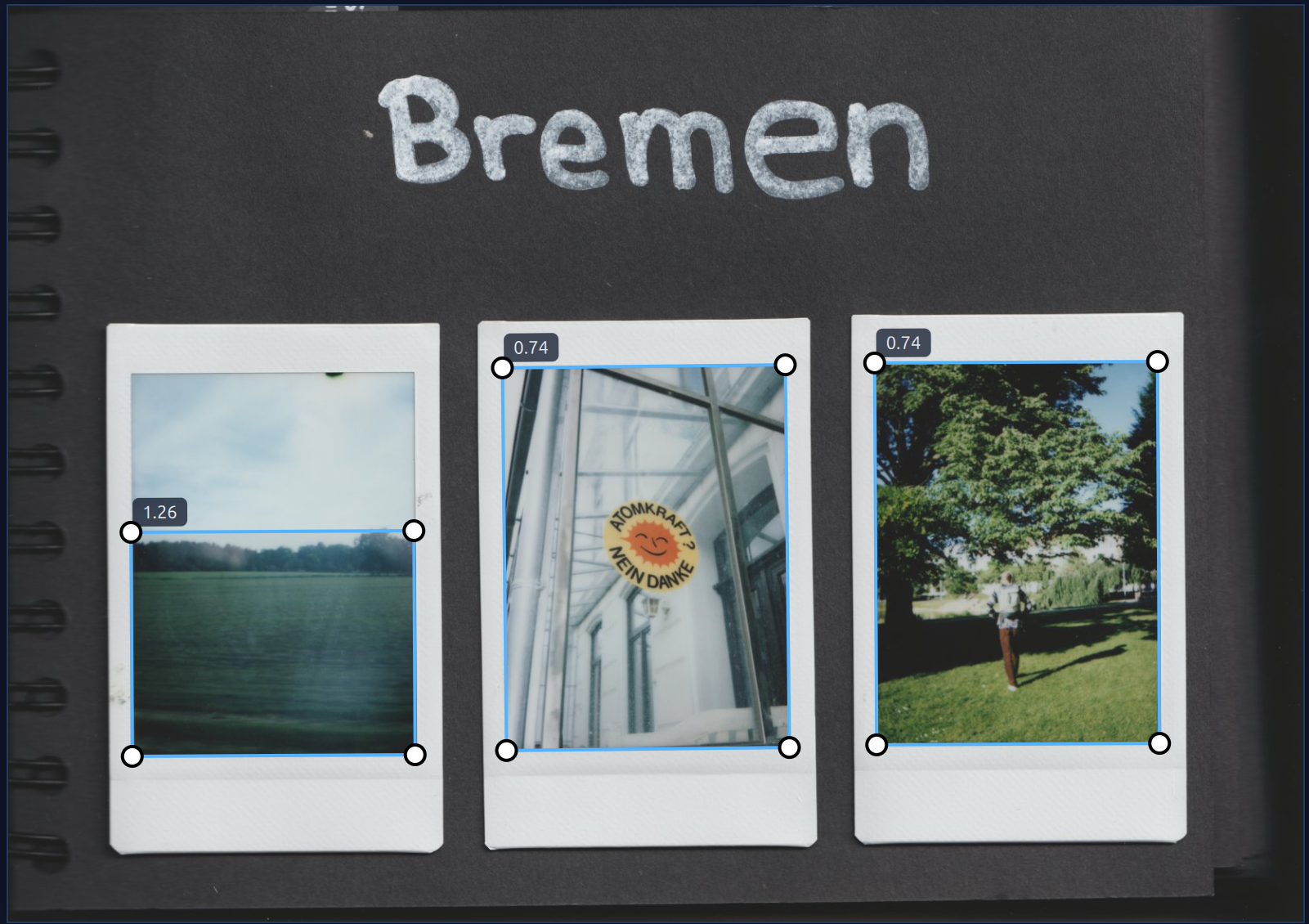 I am almost entirely sure this could be fixed, but let’s remember the 80-20 rule, and we already are at 90! (% F1, that is).
(Self-)Hosting my polaroids on Immich:
After having scanned, cropped and annotated all of photo books, it was now time to think about where to host them. My requirement for self-hosting quickly pointed me to Immich - an open source, fully featured, self-hosted alternative to Google Photos, complete with a slick Android App. There is good in the world, folks!
Challenges
- I need to properly write the metadata - date and comments - into the metadata of images, such that Immich can read and process them.
- Album Chaos: I have a lot of events, and want an album for each. Since I have done enough manual labor already, I decided I wanted the script to create and manage/sync albums automatically.
- Updates to metadata: if I fix a typo in an image caption, I don’t want to reupload the entire image file. But if I change crops, I need to!
Solutions
- Let’s RTFM! Or, since we’re still vibeing, I downloaded the docs and fed them to Codex.
- Metadata is written into the DateTimeOriginal and ImageDescription EXIF tags.
- Smart updating: I had Codex implement a dual-hash system. The script calculates one hash for the Image (crop and effects) and one for the Metadata (text).
- Image Hash changes? –> Delete and Re-upload (via CLI).
- Metadata Hash changes? –> Immich API update (no re-upload required).
- For albums, the script tracks the Album Name and Description, and on changes, updates the album’s metadata via the Immich API.
Open source: PolaCrop
I am open-sourcing all my code, i.e. the annotation software, polaroid detection algorithm, and Immich upload scripts. Somebody might find it useful after all. Obviously, as this is almost fully vibe-coded, I would be shocked to hear there was just one dragon living in there! However, I made an effort to type the README with my silly human fingers to make sure others can get started using it easily.
Code can be found here.
That’s all!
I hope you’re making good memories, too! :-)
—
-
My polaroid camera model is an instax 99 mini, highly recommended! I still use the word polaroid in this post colloquially for “instant film”. ↩