bash-install: 'curl ___.sh | bash' is evil and I'm here to fight it
The other day, someone at work shared a fun Claude Code plugin called peon-ping. It adds sound effects (taken from Warcraft III) and e.g. pings you when your coding agent is done with something, sparing you from watching yourself through your glossy display, staring at the terminal and waiting for your agent to finish. It’s the small things in life.
However, when I was about to install it, I saw one of my biggest pet peeves in software engineering: It asked me to curl some random URL and pipe it into bash. No thank you!
Obviously, I don’t mean to single out this particular project as bad1, it was just the straw that broke the camel’s back. You see this pattern everywhere, and god forbid, sometimes they even ask you to pipe it to sudo bash.
We all do it
I freely admit it: I sometimes do it. It’s convenient (most of the time, you are even offered to copy the devil with the click of a button!). You probably do it, too. We all do it. But it is fundamentally evil and we are asking for trouble here: info stealers, ransomware, you name it!
You might be thinking it is enough to just visit the page and read the script and go from there. Good idea, but an attacker can deliver different responses depending on the user agent: if it matches curl/*, it delivers the malicious script, but for a browser, it plays innocent.
Fighting evil - bit by bit!
I liked the idea to proof-read the script, but as I just mentioned, it needs some more tinkering.
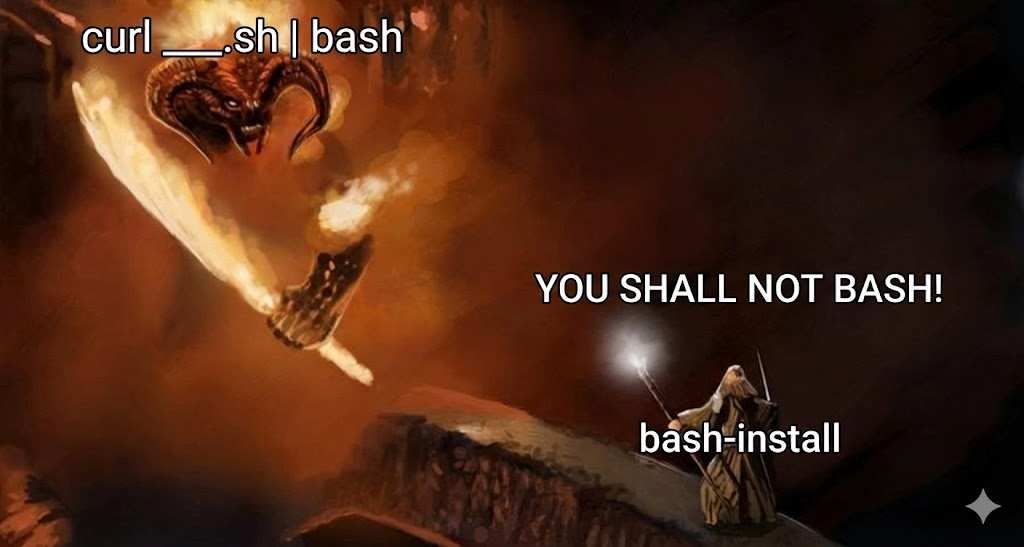
What if we did use curl to get the script, but instead of piping it to bash, we piped to a safety script called bash-install?
It could intercept the payload, hold it in a temporary file, display it for me to review, and only execute it if I say so. Even better: what if I could ask an LLM to review the script for me and point out any obvious red flags?
The first implementation
I cracked my knuckles and, with a little help from my friend Claude, wrote a straight-forward bash script which:
- Catches the piped
stdinand saves it to/tmp/script.sh. - Checks if the script has binary data appended to it (many installers bundle compressed tarballs at the bottom using a marker like
__ARCHIVE_BELOW__). - Guesses where the script ends, and shows only the readable part in a
lesspager. - Prompts the user:
[R]un [D]eny [L]LM review. If the user hitsL, it sends the script to OpenAI’sgpt-4.1-miniwith a prompt to act as a security auditor, returning a summary of what the script does, along with verdict of SAFE, CAUTION, or DANGEROUS. - Supports sudo: Running
curl ... | sudo bash-installwould strip environment variables (e.g. myOPENAI_API_KEY). So I added a--sudoflag - you pipe your script to normalbash-install, and if approved, the wrapper elevates privileges for the actual execution. - Has shebang detection: The code has logic to detect the shebang and run the script with the appropriate interpreter (not just bash), e.g. Python or sh.
Bish bash bosh, done! It worked flawlessly on my first few tests. But then I put on my hacker hat and realized my naive little script had more holes than Swiss cheese.
The devil has some tricks up his sleeve
My first implementation was vulnerable to some pretty simple bypasses:
- Secondary Payloads: A malicious script could use the
curl | bashpattern itself to load&extract the script that actually does the bad stuff. - Weak binary detection: Because I was manually scanning for
__ARCHIVE_BELOW__to hide the binary blob from the pager, an attacker could just put a fake boundary inside a comment at the top of the file, and hide their malicious payload below it. My script would truncate the view, showing an innocent 5-line script, whilebashwould execute the whole thing. - ASCII art overflow: I had capped the LLM payload at 100KB. An attacker could easily pad the top of their script with 100KB of useless ASCII art or dummy code. The LLM would confidently declare the script “SAFE”, completely missing the malicious payload starting at the next byte.
- Terminal Escapes: An attacker could use ANSI escape sequences (the things that give terminal text color) to make malicious code the exact same color as the terminal background, making it invisible to the human eye while browsing in
less. See, you almost would have missed this sentence!
.. but our sleeves are not empty, either
To patch these vulnerabilities, I adjusted the prompt to warn the user about secondary payloads, and also added these features:
- Dry-Run syntax check: Before doing anything, I send the file content to
bash -n, which checks for syntax errors without actually executing anything. If it fails, I now warn the user right away that there’s probably an embedded payload within it. - Sanitization via
tr: I now usetrto remove all non-printable characters, null bytes, and to unhide ANSI escape codes!
# Keep only Tabs (\11), LFs (\12), CRs (\15), and printable ASCII (\40-\176).
tr -cd '\11\12\15\40-\176' < "$tmpfile" > "${cleanfile}.tmp"
This works because terminal escape sequences rely on the \033 (ESC) character, and removing these will make the escape codes just print as garbage text. Furthermore, this naturally filters out any appended payload (like a .tar.gz) without needing to parse Heredocs or the various boundary markers. Both the human reviewer and the LLM now see every single readable character and nothing else.
- Warning on Context Exhaustion: If the sanitized, readable text exceeds the 100KB limit, the script gives a big warning to the user about this before passing the truncated version to the LLM.
The cat and mouse game doesn’t end here
Make no mistake: my script can be tricked by a malicious actor, somehow. But I think I ticked off all the obvious boxes, so an attacker probably needs to get a little crafty. And in any case, I maintain that it’s much better than nothing.
Installation
Just open your terminal and run:
curl -sL https://gist.github.com/jonas-klesen/install-bash-install.sh | bash
… just kidding! Please don’t do that ever again.
You can find the actual script, ready for manual inspection, in this GitHub Gist here.
To install it, just download it somewhere safe and add an alias to your .bashrc for bash-install. And in the future, if asked to execute curl ___.sh | bash, append a -install before hitting Enter ;-)
That’s all!
Stay safe out there. <3
—
-
Seems that by now, they also added a brew install command ↩